 Takelight
Takelight and Screencastify side by side as of September 2026
The Screencastify figures are for its free plan and its Starter plan. Takelight has no free video recording: recording is part of Pro, with 7 days of Pro, free.
| Topic | Takelight | Screencastify |
|---|---|---|
| Number of videos | No limit on Pro. | Up to 10 videos on the free plan. |
| Length | No limit on Pro. | Up to 30 minutes on the free plan. |
| Watermark | None. | Watermark removal is a paid feature. |
| Paid plan | Pro is €39 for 6 months, €69 for a year or €139 for Pro forever. | Starter is $7 per user per month billed yearly, or $19 monthly. |
Source for Screencastify: screencastify.com/pricing, read on 30 September 2026. Source for Takelight: the pricing table. Prices are in the currency each company lists.
What a Takelight recording includes
- Screen, window or tab, saved as an MP4 on your computer. Nothing is uploaded, and there is no sign-in.
- Tab audio or system audio where Edge offers it, and your microphone, mixed into one soundtrack. Whole-system audio is offered on Windows.
- For a tab recording: a ring at every click, the shortcut keys you press drawn on screen, chapters, and blur for emails, phone numbers, card numbers, API keys and password fields (blur while recording is part of the video recorder).
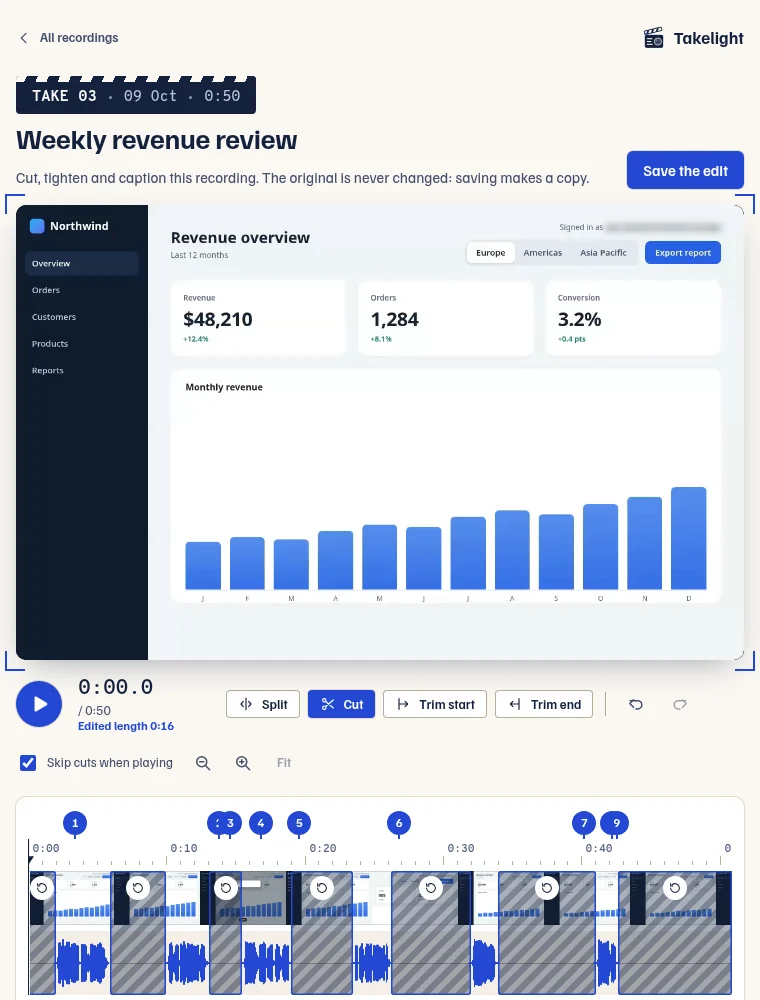
- An editor to trim the ends and cut the middle, captions made on your computer with the transcript, .srt and .vtt files, a Recordings page, and crash recovery.
Where Screencastify may suit you better
Takelight does not host, share or upload anything. A recording is a file on your computer, and you send it yourself. It has no share link, no viewer statistics and no team plan. It also runs only in Edge 116 or newer. If your videos live behind a link, check that you can do without one before you switch.
A recording has no length cap on Pro. The free plan makes step guides from your clicks and keeps ten.
Free and Pro
Pro adds auto-zoom, a cursor spotlight, captions burned into the video, one-click silence and filler-word removal, unlimited cuts, and step guides with no step limit. Pro is €39 for 6 months, €69 for a year or €139 for Pro forever. You get 7 days of Pro, free. See the pricing table.
Switch in three steps
- Install Takelight from Edge Add-ons, click its icon, then choose Record.
- Press Start recording, choose a screen, a window or a tab in Edge's dialog, and tick Share audio if you want the sound.
- Press Stop and save. Play, edit or download the MP4 on the Recordings page.
Recording a tab also gives you a written guide. The SOP walk-through shows how. If your first question was about Loom, read the Loom alternative page.
Record without a watermark
Install is free. Nothing needs an account, and nothing carries a watermark.
Takelight is an independent product and is not affiliated with Screencastify.